
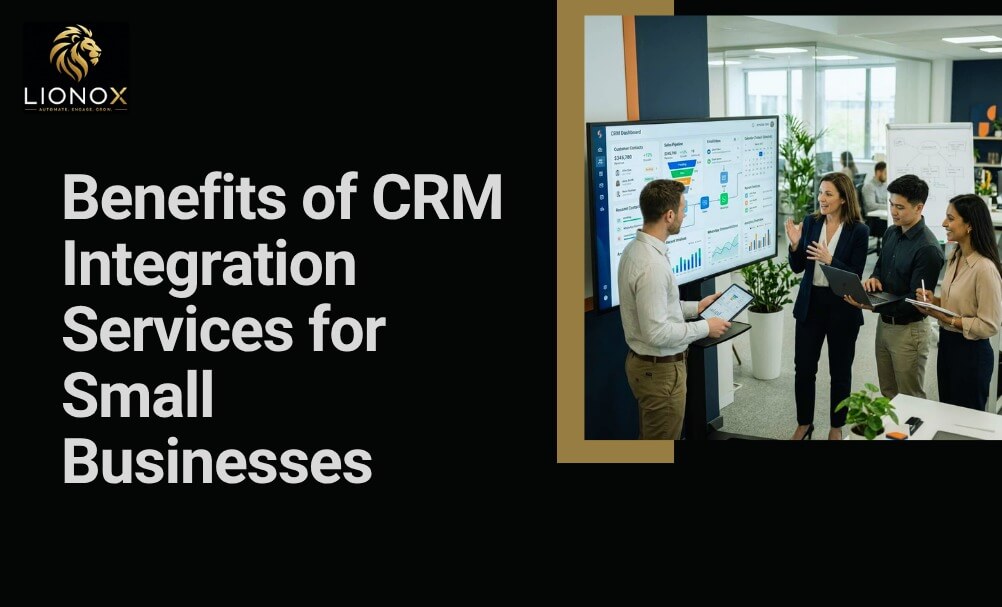
Running a small business often means switching between different tools to manage customer inquiries, leads, invoices, appointments, and day-to-day operations. When these systems aren’t connected, information has to be entered more than once, increasing the chances of mistakes. A missed follow-up, outdated customer record, or overlooked inquiry can easily affect the customer experience and cost your business opportunities.
CRM integration helps bring these systems together. Instead of managing information across separate platforms, your customer data stays connected and up to date in one place. This reduces manual work, helps your team respond more quickly, and may give you a clearer view of your customers and business operations.
This blog breaks down exactly what CRM integration services are, the challenges they solve, the benefits they deliver, and how businesses across different industries are using them to grow more efficiently.
What Are CRM Integration Services?
Understanding CRM Integration
A CRM system is software that stores and manages all your interactions with current and potential customers. According to Salesforce, CRM technology may help companies stay connected to customers, streamline processes, and improve profitability. But a CRM on its own is only part of the solution.
CRM integration services connect your CRM platform to the other tools your business uses email platforms, accounting software, payment gateways, calendars, and more. Instead of managing separate systems that store information independently, integration creates one unified environment where data flows automatically between platforms.
How CRM Integration Services Work
At the technical level, CRM integration services use APIs (application programming interfaces) to create a communication channel between your CRM and other software. When a lead fills out a form on your website, for example, their details may automatically appear in your CRM, trigger a follow-up email, and notify the relevant team member without anyone lifting a finger.
Why Small Businesses Need Connected Systems
Small businesses even rely on a patchwork of tools: a spreadsheet here, an email inbox there, a separate booking system somewhere else. As the business grows, that patchwork becomes harder to manage. CRM integration services replace which fragmented approach with a connected system that keeps everything organized and up to date.
Common Challenges Small Businesses Face Without CRM Integration
Customer Data Stored in Multiple Places
When customer information lives in different tools or worse, in someone’s personal inbox; it becomes nearly impossible to get a complete picture of any individual customer. Team members waste time searching for information that should be instantly accessible.
Manual Data Entry and Duplicate Records
Manually transferring data between systems isn’t only time-consuming; it’s error-prone. Duplicate records, outdated contact details, and missed entries are common side effects. These small errors compound over time, leading to poor customer experiences and unreliable reporting.
Slow Lead Response Times
Responding to new inquiries quickly can make a real difference. When your team has to manually enter lead details, assign them to the right person, and send follow-up messages, valuable time is lost. The longer a potential customer waits for a response, the more likely they are to contact another business. A connected CRM helps speed up this process by making sure new inquiries reach the right team member without unnecessary delays, allowing your business to respond while customer interest is still high.
Limited Team Collaboration
Without a shared system, different departments operate with different information. Sales doesn’t know what marketing has sent to a prospect. Support doesn’t know what sales promised. That disconnect creates friction for both your team and your customers.
Inaccurate Sales Reporting
Making confident business decisions requires accurate data. When that data is spread across multiple disconnected platforms, your reports will always have gaps making it difficult to forecast accurately or identify what’s actually driving growth.
Top Benefits of CRM Integration Services for Small Businesses
Centralized Customer Information
CRM integration helps keep customer information organized in one central location. Instead of searching across different platforms, your team can access contact details, previous purchases, support requests, and past conversations from a single system.
Faster Lead Management
Integrated systems may capture, assign, and follow up on leads automatically. The moment a potential customer submits a form or sends a message, your CRM may log the inquiry, notify a team member, and trigger a personalized response, all within seconds. This is kind of speed creates a strong first impression and improves conversion rates.
Automated Data Synchronization
With CRM integration services in place, data updates across platforms in real time. When a customer makes a payment, CRM reflects it. When a booking is made, your calendar gets updated. There isn’t any lag, manual syncing, and risk of working from outdated knowledge or information.
Improved Customer Experience
Customers notice when a business is organized. When your team can instantly pull up a customer’s history, reference a previous conversation, and provide a relevant answer, the customer feels valued. CRM integration services make that level of responsiveness possible, even for small teams.
Better Team Collaboration
When sales, support, and marketing teams all work from same integrated system, handoffs become seamless. A sales rep can see what emails are sent to a lead. A support rep can see what a customer purchased and when.
Increased Productivity
Automation eliminates the low-value tasks that eat into your team’s time. Sending reminders, updating contact records, generating reports, and routing inquiries, these tasks can all run in the background while your team focuses on work that actually requires human attention.
Smarter Business Decisions with Real-Time Insights
Integrated CRM systems generate accurate, real-time reports on sales performance, customer behavior, and team activity. Rather than compiling data manually at the end of the month, you have a live view of your business that supports faster, more confident decision-making.
CRM Integration Services vs Manual Data Management
| Feature | Manual Process | CRM Integration Services |
|---|---|---|
| Data Entry | Manual | Automated |
| Customer Information | Scattered | Centralized |
| Lead Tracking | Limited | Real-Time |
| Team Collaboration | Inconsistent | Improved |
| Reporting | Time-Consuming | Instant |
| Scalability | Limited | Excellent |
Business Tools You Can Integrate with Your CRM
One of the greatest strengths of modern CRM integration services is flexibility. A well-integrated CRM can connect with virtually every tool your business already uses.
Email Marketing Platforms
Connect your CRM with platforms such as Mailchimp or ActiveCampaign to automatically segment contacts, trigger campaigns depending customer behavior, and track email engagement directly in your CRM.
WhatsApp Business
WhatsApp is one of the most widely used communication channels for small businesses. Integrating it with your CRM means every message is logged, responses can be automated, and no conversation gets lost.
SMS Automation
Automated SMS messages are highly effective for appointment reminders, order updates, and promotional offers. Integration ensures these messages are triggered by real-time data and tracked within your CRM.
Calendar & Appointment Scheduling
Sync your booking system with your CRM so that every appointment is automatically recorded, assigned to the right team member, and accompanied by an automated reminder for the customer.
Accounting & Invoicing Software
Connect tools like QuickBooks or Xero to your CRM to link payment history to customer profiles, trigger invoices automatically, and keep your financial data synchronized without manual entry.
Payment Gateways
Payment gateway integration allows your CRM to update customer records the moment a transaction is completed, giving your team immediate visibility into purchase activity.
AI Chatbots
An AI chatbot integrated with your CRM can answer common questions, qualify leads, and collect contact information 24/7 feeding that data directly into your CRM for follow-up.
AI Voice Agents
AI voice agents handle inbound calls, answer questions, and route inquiries based on customer intent. When connected to your CRM, every call interaction is logged and available for your team to review.
How CRM Integration Improves Sales and Customer Support
Faster Lead Qualification
Integrated systems can automatically score and qualify leads based on their behavior, pages visited, forms submitted, emails opened, so your sales team spends time on the prospects most likely to convert.
Automated Follow-Ups
Rather than relying on your team to remember follow-up tasks, CRM integration services can trigger follow-up messages automatically at the right time, based on predefined rules or customer actions.
Personalized Customer Communication
With a complete view of each customer’s history, your team can personalize every interaction. Automated messages can include the customer’s name, reference their last purchase, or offer a relevant product recommendation.
Better Customer Retention
Customers who feel seen and well-served are more likely to stay. CRM integration services help you stay proactive, sending check-ins, renewals, and relevant updates before customers even have to ask.
Improved Sales Pipeline Visibility
A connected CRM gives your sales team a real-time view of where every lead stands in the pipeline, which opportunities need attention, and where bottlenecks are forming, so nothing slips through the cracks.
Industries That Benefit Most from CRM Integration Services
Home Service Businesses
Plumbers, electricians, and landscapers benefit from integrated scheduling, automated reminders, and follow-up systems that keep their calendars full without constant manual management.
Marketing Agencies
Agencies managing multiple clients need organized pipelines, automated reporting, and seamless communication between tools. CRM integration services keep client projects on track and data consistent across platforms.
Healthcare Clinics
Patient communication, appointment scheduling, and follow-up care all benefit from automation without compromising the personal attention patients expect.
Real Estate
Real estate professionals can automate lead nurturing, track property inquiries, schedule viewings, and follow up with prospects across long sales cycles without losing momentum.
Professional Services
Consultants, accountants, and legal professionals can use CRM integration services to manage client relationships, automate billing reminders, and track project status in one organized system.
E-Commerce
Online retailers benefit from integrating their CRM with payment systems, email marketing tools, and customer support platforms to deliver a consistent and personalized post-purchase experience.
Best Practices for Successful CRM Integration
Define Business Goals
Before integrating anything, identify the specific problems you want to solve. Clearer goals lead to better decisions about which tools to connect and which workflows to automate.
Choose Compatible Software
Not all software integrates seamlessly. Work with a provider that evaluates compatibility before recommending a technology stack for your business.
Clean Existing Customer Data
Integrating systems with poor data quality simply automates the spread of bad information. Audit and clean your existing data before connecting platforms.
Train Your Team
Technology is only as effective as the people using it. Ensure your team understands how the integrated system works and how to use it consistently.
Monitor Integration Performance
After launching, track whether your integrations are performing as expected. Measure lead response times, data accuracy, and team productivity to identify areas for improvement.
Common CRM Integration Mistakes to Avoid
Integrating Too Many Tools at Once
Starting with too many integrations simultaneously makes it difficult to identify what’s working and what isn’t. Begin with your highest-priority connections and expand from there.
Ignoring Data Quality
Outdated or duplicate records undermine the accuracy of your automated workflows. Data hygiene is not a one-time task, it needs ongoing attention.
Poor Workflow Planning
Automations built without a clear understanding of your business processes can create more problems than they solve. Map your workflows carefully before building.
Skipping Employee Training
Even well-designed systems fail when teams don’t know how to use them. Invest in proper onboarding to ensure full adoption across your organization.
How Lionox LLC Delivers CRM Integration Services
Lionox LLC provides done-for-you automation and CRM integration services designed specifically for growing businesses. Rather than handing you software and leaving you to figure it out, Lionox builds the entire system for you, from initial setup to ongoing support.
CRM Setup & Customization
Lionox configures your CRM to reflect your actual business processes, including custom pipelines, fields, and contact management systems that fit how your team operates.
API Integration Services
Using API integrations, Lionox connects your CRM to the other tools your business relies on building a unified system where data flows automatically between platforms. Learn more about these AI Automation Services.
Workflow Automation
Lionox builds custom automation workflows that handle lead follow-ups, appointment reminders, task assignments, and more, so your team can focus on higher-value work.
AI Chatbots & AI Voice Agents
Lionox deploys AI chatbots and voice agents that engage with customers around the clock, qualify leads, and log every interaction directly into your CRM.
WhatsApp & SMS Automation
Customer conversations through WhatsApp and SMS are integrated into your CRM, keeping all communication centralized and ensuring no message goes unanswered.
Business Process Automation
Beyond CRM, Lionox offers broader Business Automation Solutions that connect your entire operation from marketing and sales to payments and customer support into one streamlined system.
Explore Lionox Pricing Plans to find the right plan for your business, or contact our CRM integration experts to discuss your specific needs.
Future Trends in CRM Integration
AI-Powered CRM
AI is rapidly becoming a core feature of modern CRM platforms. AI-powered CRMs can analyze customer data, predict behavior, and recommend next steps reducing the time your team spends on analysis and decision-making.
Predictive Customer Insights
Rather than reacting to customer behavior, predictive tools allow businesses to anticipate it. CRM integration services that incorporate predictive analytics help small businesses stay one step ahead of customer needs.
Omnichannel Customer Engagement
Customers interact with businesses across multiple channels like email, SMS, social media, phone, and live chat. Future CRM integration services will make managing all of those touchpoints from a single platform even more seamless.
Intelligent Workflow Automation
As automation technology matures, workflows will become more intelligent, adapting dynamically based on customer behavior, team performance, and business outcomes rather than following rigid pre-set rules.
Start Building a Smarter Business System
CRM integration services are not a luxury reserved for large enterprises with big budgets. For small businesses, a well-integrated CRM is one of the most practical investments available reducing wasted time, improving customer relationships, and creating the organizational foundation needed to scale.
The businesses that grow consistently are those that build smart systems early, before the complexity of rapid growth makes the transition harder. If you’re managing 50 customers or 5,000, a connected CRM system helps your team work more effectively every single day.
If you’re ready to stop managing disconnected tools and start building a system that works for you, get in touch with our CRM integration experts at Lionox. We’ll handle the setup from start to finish so you can focus on running your business.
Frequently Asked Questions
What are CRM integration services?
CRM integration services connect your customer relationship management system with other business tools, such as email, calendars, accounting software, WhatsApp, and marketing platforms. This creates a centralized system that improves customer management, automates workflows, and reduces manual data entry.
How do CRM integration services benefit small businesses?
CRM integration services help small businesses organize customer information, automate follow-ups, improve team collaboration, and reduce repetitive work. By connecting different business systems, companies can respond faster to customers, improve productivity, and make better business decisions.
What business tools can integrate with a CRM?
A CRM can integrate with email platforms, WhatsApp Business, SMS marketing tools, calendars, payment gateways, accounting software, AI chatbots, and workflow automation platforms. These integrations create smoother business operations and improve the overall customer experience.
Can CRM integration improve sales?
Yes. CRM integration improves sales by keeping customer information organized, automating lead follow-ups, tracking opportunities, and providing real-time sales insights. Sales teams spend less time on administrative work and more time building relationships and closing deals.
Is CRM integration suitable for small businesses?
Absolutely. Small businesses benefit from CRM integration because it simplifies customer management, reduces manual work, improves communication, and supports business growth. It allows smaller teams to operate more efficiently while delivering a better customer experience.